U Dictionary
Education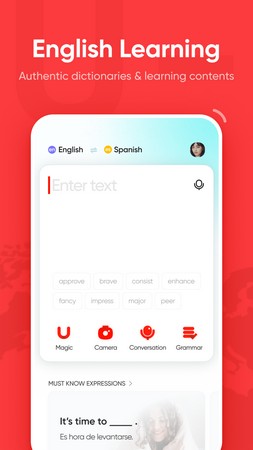
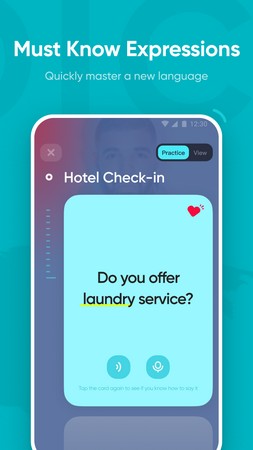
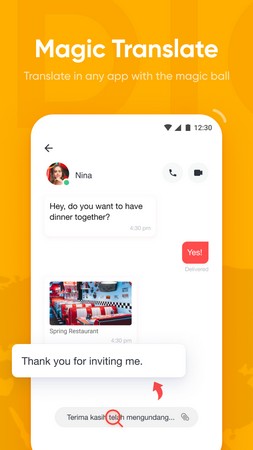
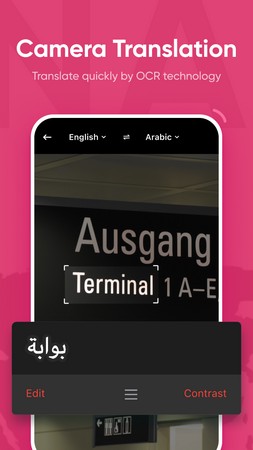
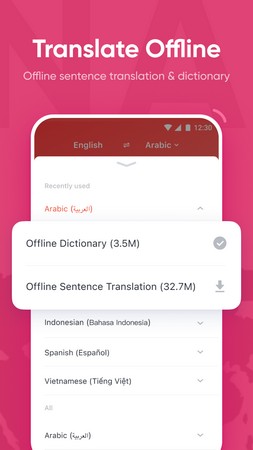
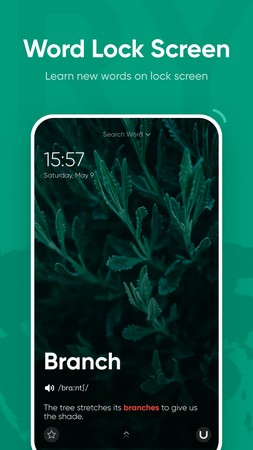

U Dictionary is an Android dictionary app that helps you look up words, translate them into multiple languages, and understand their meanings. The latest version, 6.7.5, is packaged in a 66.53 MB APK and was updated on 1 October 2026.
This page provides everything you need to download, install, and use the U Dictionary APK safely. You’ll find quick facts, step‑by‑step installation instructions, troubleshooting tips, and a brief comparison with other popular dictionary tools.
Quick Information
| App/Game Name | U Dictionary |
| Latest Version | 6.7.5 |
| Developer | Not listed |
| Category | Apps / Education |
| App Size | 66.53 MB |
| Package Name | com.youdao.hindict |
| Last Updated | 1 October 2026 |
What Is U Dictionary?
U Dictionary is designed for anyone who wants to improve their vocabulary or translate words while reading, writing, or chatting. It supports a range of languages, offers definitions and example usage, and includes pronunciation help where available. The app is suitable for students, travelers, and language enthusiasts who need a handy reference on their Android device.
Compatibility
| Android Version | ✓ Verified — Android 7.0 and Above |
| Architecture (ARM64 / 32-bit) | Not Verified |
| Internet Connection | ✓ Verified — May be required for ads, updates, or login |
| Storage Needed | Not Verified |
| OBB/Data Files | Not Verified |
| Root Required | Not Verified |
How to Install
- On your Android device, go to Settings → Security (or Privacy → Install unknown apps) and enable installation from unknown sources for the browser or file manager you will use.
- Download the U Dictionary APK file from this page.
- Once the download finishes, open the notification or use a file manager to locate the
U_Dictionary_6.7.5.apkfile. - Tap the file and follow the on‑screen prompts to install the app.
- After installation, open U Dictionary from your app drawer and grant any requested permissions (e.g., storage for saving favorite words).
Troubleshooting
- App not installed error: Make sure you have enabled “install unknown apps” for the source you used. Also verify that the APK file is fully downloaded and not corrupted.
- Crashes on startup: Clear the app cache via Settings → Apps → U Dictionary → Storage → Clear cache. If the problem persists, reinstall the APK.
- Translations not loading: Some language packs require an internet connection for the first lookup. Ensure your device has network access.
- Permissions denied: The app may need access to storage to save favorite words or offline data. Grant the permission in the prompt or via the app settings.
Safety & Security
U Dictionary is a standard Android package. As with any APK, download it only from a trusted source and verify the file’s integrity if a hash is provided. Review the permissions the app requests during installation; if something seems unrelated to dictionary functions (e.g., phone calls, SMS), consider denying that permission. Keep the app updated to receive the latest security patches, and avoid entering sensitive personal information unless you are certain the app is legitimate.
How U Dictionary Compares
| Feature | U Dictionary | Google Translate | Merriam-Webster |
|---|---|---|---|
| Price / Free model | Free | Free (ads) / optional subscription | Free (ads) / optional subscription |
| Platform availability | Android | Android, iOS, Web | Android, iOS, Web |
| Standout feature | Multilingual word lookup with pronunciation | Instant camera translation and conversation mode | Comprehensive English definitions and usage notes |
| Best for | Quick cross‑language lookups on Android | Real‑time translation across many languages | In‑depth English vocabulary building |
Alternatives
Google Translate offers a broader suite of translation tools, including camera and voice translation, making it ideal for travelers who need instant results.
Merriam-Webster focuses on English definitions, etymology, and example sentences, perfect for users who want detailed explanations of English words.
Microsoft Translator provides multilingual text, voice, and image translation with a clean interface and integration with Microsoft Office apps.
Final Verdict
U Dictionary is a solid, free option for Android users who need quick multilingual word lookups and basic pronunciation help. It’s lightweight, easy to install, and works well for everyday vocabulary expansion. Before installing, ensure you enable unknown‑source installations and verify the APK’s source. If you need advanced features like camera translation or deep English definitions, you may prefer the alternatives listed above.
Frequently Asked Questions
Download it from a reputable source, check the requested permissions, and keep the app updated to maintain security.
The app runs on most modern Android versions; however, Android 5.0 (Lollipop) or newer is typically required.
Basic word lookups work offline after the first use, but some language packs may need an internet connection for the initial download.
Download the latest APK from this page and install it over the existing version; the installer will replace the old files while keeping your data.
Yes, you can install multiple dictionary apps on the same device without conflicts.
Make sure unknown sources are enabled, verify the APK is fully downloaded, and clear any partially installed versions before retrying.
The app may store your favorite words and language preferences locally; it does not require an account unless you choose to sync data.
No paid version is listed; the app is offered as a free download.